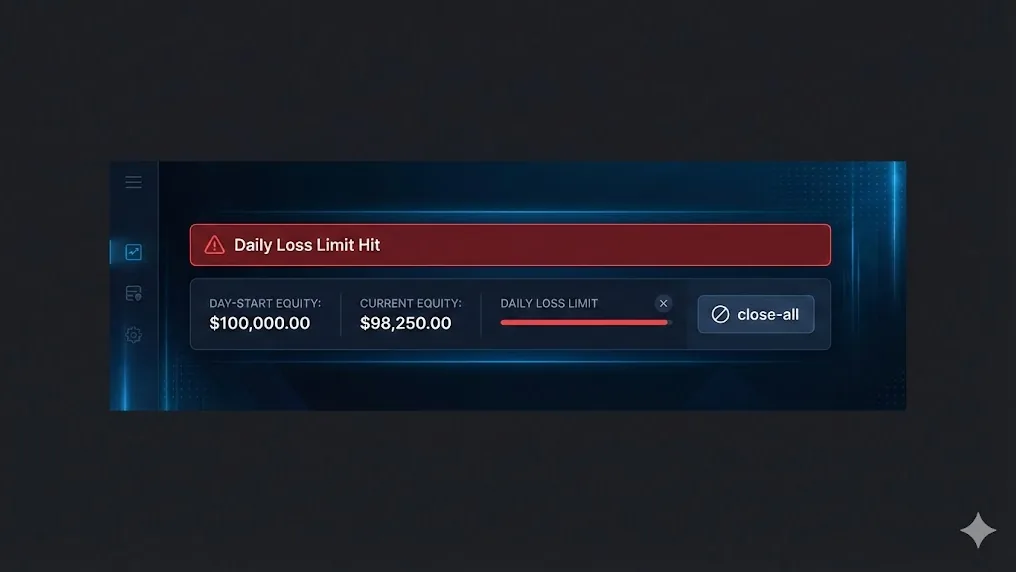
Why a daily-loss kill switch matters
If you trade with rules (especially in prop firm challenges), you’ll eventually need a hard safety mechanism: when daily loss reaches a threshold, trading stops and exposure is removed. This is not about “being scared of losses.” It’s about preventing the two most common account killers:
- A bad day turning into a catastrophic day (revenge trading, overtrading, tilt).
- A technical failure (EA bug, news spike, platform freeze) causing uncontrolled drawdown.
In this guide you’ll learn how to auto-close all MT5 positions when daily loss threshold is hit in a way that is realistic for MetaTrader 5 and MQL5: clear definitions, reliable calculations, and practical closing logic.
Important: This is educational content, not financial advice. Always confirm the exact “daily loss” rule definition your broker/prop firm uses (balance vs equity, server day, floating P/L included or not).
Step 1: Define “daily loss” correctly (equity vs balance)
Before you write code, pick which metric you protect:
Equity-based daily loss (recommended for safety)
Equity includes floating P/L. It’s stricter and helps prevent breaches during fast moves:
DailyLoss = DayStartEquity - CurrentEquity
If the threshold is hit, you close all positions to stop further equity erosion.
Balance-based daily loss (common in some rule sets)
Balance counts closed trades only:
DailyLoss = DayStartBalance - CurrentBalance
This can be “friendlier” but less safe if you carry losing floating positions.
Most traders who want a robust kill switch choose equity-based checks, because it protects against floating losses and platform disconnects.
Step 2: Decide what “day” means (server time, rollover hour)
“Daily” usually means the broker’s server day, not your local timezone. In MT5, you can base day changes on:
TimeTradeServer()(preferred), orTimeCurrent()(often acceptable, but can differ)
Some prop firms use a “trading day” that resets at a specific hour (e.g., 17:00 New York). If you must match that, you need a configurable rollover hour and to compute a “session date” based on server time.
Step 3: Store day-start equity reliably
You need a stable reference point: day-start equity (or balance). That value must persist even if MT5 restarts.
Practical approaches:
- Store in a
GlobalVariable(persists on the terminal). - Store in a file (more control, more complexity).
- Store on a backend (best for enterprise, beyond this post).
For a beginner-friendly EA, GlobalVariable*() is a reasonable choice.
Step 4: When threshold is hit, do 3 things (in order)
- Trigger a kill switch flag (so the EA stops opening new trades).
- Close all open positions (reduce exposure).
- Optionally: Delete pending orders (stop new entries from triggering).
This “risk firewall” approach is a standard pattern in risk management automation and is compatible with most strategies.
LSI keywords that naturally apply here: daily loss limit, max daily drawdown, equity protection, trading kill switch, risk control EA, MT5 Expert Advisor, MQL5 close all positions, prop firm compliance.
A practical MQL5 example: daily loss kill switch + close-all routine
The snippet below focuses on the core mechanics: day start equity tracking, daily loss calculation, and a close-all routine using CTrade.
EA inputs (configure once)
input bool   UseEquityForDailyLoss = true;
input double DailyLossLimitMoney   = 250.0;  // example: $250 daily loss limit
input int    RolloverHourServer    = 0;      // 0 = midnight server time; change if needed
input bool   ClosePositionsOnHit   = true;
input bool   DeletePendingsOnHit   = true;
Utility: compute “session date” based on rollover hour
datetime SessionStart(datetime serverTime, int rolloverHour)
{
   MqlDateTime t; TimeToStruct(serverTime, t);
   if(t.hour < rolloverHour)
      t.day -= 1;
   t.hour = rolloverHour; t.min = 0; t.sec = 0;
   return StructToTime(t);
}
Store and load day-start reference (Global Variables)
string GVKey(const string suffix)
{
   return StringFormat("PRM_%s_%s_%d", _Symbol, suffix, (int)AccountInfoInteger(ACCOUNT_LOGIN));
}

double LoadOrInitDayStartValue(const string key, double currentValue)
{
   if(GlobalVariableCheck(key))
      return GlobalVariableGet(key);
   GlobalVariableSet(key, currentValue);
   return currentValue;
}
Close all positions (netting + hedging-safe loop)
#include <Trade/Trade.mqh>
CTrade trade;

bool CloseAllPositions()
{
   bool allClosed = true;

   for(int i = PositionsTotal() - 1; i >= 0; i--)
   {
      if(!PositionSelectByIndex(i))
         continue;

      const string symbol = PositionGetString(POSITION_SYMBOL);
      const ulong  ticket = (ulong)PositionGetInteger(POSITION_TICKET);

      if(!trade.PositionClose(ticket))
         allClosed = false;
   }

   return allClosed;
}
Delete all pending orders (optional)
bool DeleteAllPendingOrders()
{
   bool allDeleted = true;

   for(int i = OrdersTotal() - 1; i >= 0; i--)
   {
      if(!OrderSelect(i, SELECT_BY_POS))
         continue;

      const ulong ticket = (ulong)OrderGetInteger(ORDER_TICKET);
      if(!trade.OrderDelete(ticket))
         allDeleted = false;
   }

   return allDeleted;
}
Main check: detect new day, calculate daily loss, trigger kill switch
bool KillSwitch = false;
datetime LastSession = 0;
double DayStartValue = 0.0;

void CheckDailyLossKillSwitch()
{
   const datetime now = TimeTradeServer();
   const datetime session = SessionStart(now, RolloverHourServer);

   const bool newSession = (session != LastSession);
   if(newSession)
   {
      LastSession = session;
      KillSwitch = false;

      const double current = UseEquityForDailyLoss
         ? AccountInfoDouble(ACCOUNT_EQUITY)
         : AccountInfoDouble(ACCOUNT_BALANCE);

      DayStartValue = current;
      GlobalVariableSet(GVKey("DAY_START"), DayStartValue);
      GlobalVariableSet(GVKey("SESSION"), (double)LastSession);
      return;
   }

   if(LastSession == 0)
   {
      LastSession = (datetime)GlobalVariableGet(GVKey("SESSION"));
      if(LastSession == 0) LastSession = session;
      DayStartValue = LoadOrInitDayStartValue(GVKey("DAY_START"),
         UseEquityForDailyLoss ? AccountInfoDouble(ACCOUNT_EQUITY) : AccountInfoDouble(ACCOUNT_BALANCE));
   }

   const double current = UseEquityForDailyLoss
      ? AccountInfoDouble(ACCOUNT_EQUITY)
      : AccountInfoDouble(ACCOUNT_BALANCE);

   const double dailyLoss = DayStartValue - current;

   if(!KillSwitch && dailyLoss >= DailyLossLimitMoney)
   {
      KillSwitch = true;

      if(DeletePendingsOnHit)
         DeleteAllPendingOrders();

      if(ClosePositionsOnHit)
         CloseAllPositions();
   }
}
Practical tip: call CheckDailyLossKillSwitch() from OnTick() (simple) or from OnTimer() (more consistent even when the market is quiet). If you use OnTimer(), remember to call EventSetTimer(1) in OnInit() and EventKillTimer() in OnDeinit().
Common failure modes (and how to make it more reliable)
Closing can fail in fast markets
PositionClose() can fail due to:
- Requotes / off quotes
- Market closed
- Volume limits
- Trade context busy
For robustness, consider:
- Retrying close attempts (limited retries, with small delays).
- Logging errors (
GetLastError()/trade.ResultRetcode()). - Closing symbol-by-symbol (and prioritizing the biggest losing positions first).
Don’t rely only on virtual logic if the terminal can be offline
If your kill switch relies on an EA being online, you should run it on a stable VPS and add monitoring. Many traders also keep a protective server-side stop-loss per position as a “last resort” (strategy-dependent).
Example: choosing the daily loss number
Suppose you have a $10,000 account and you want a strict daily loss cap of 2%:
- DailyLossLimitMoney = $200
If day-start equity is $10,000 and current equity drops to $9,800:
- DailyLoss = $10,000 - $9,800 = $200 → kill switch triggers, positions close, trading stops.
This makes your risk measurable and prevents emotional escalation on bad days.
Call to action
If you want daily loss limits, max drawdown rules, trade blocking, and compliance-style risk controls without reinventing everything inside each EA, check out Pro Risk Manager. It’s built to help MT5 traders apply consistent risk rules—so one bad day doesn’t define your month.