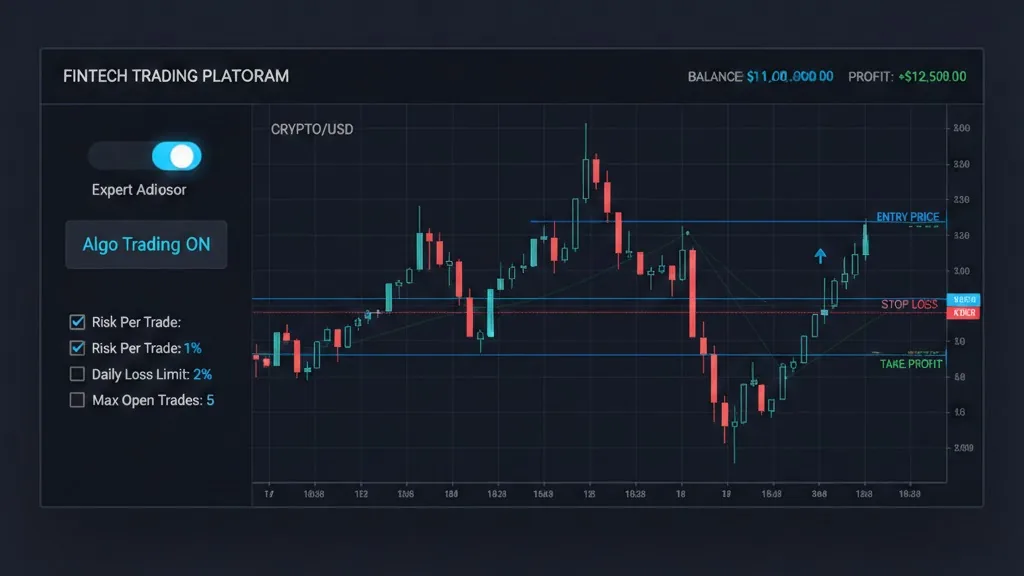
What is an Expert Advisor in MT5?
An Expert Advisor (EA) in MetaTrader 5 (MT5) is a program written in MQL5 that can automate trading decisions and execution. Depending on how it’s designed, an EA can:
- Open trades based on rules (signals)
- Manage open positions (stop-loss, trailing stop, break-even, partial closes)
- Enforce risk rules (risk per trade, max daily loss, max open positions)
- Log actions and alert you when something important happens
You can think of an EA as a “rules engine” connected directly to your MT5 terminal and broker server.
LSI keywords that naturally relate to this topic: MT5 Expert Advisor, trading bot, automated trading, algorithmic trading, MQL5 programming, MT5 Strategy Tester, backtesting, VPS for MT5, trade management EA, prop firm rules.
Expert Advisor vs Indicator vs Script (common beginner confusion)
MT5 has different tool types, and mixing them up leads to wrong expectations:
- Indicator: calculates/plots information (signals, levels). It usually does not trade by itself.
- Script: runs one task once (e.g., “close all orders now”), then stops.
- Expert Advisor (EA): runs continuously, reacting to ticks/timers/events and can trade and manage positions.
If your goal is “auto trade” or “manage trades automatically,” you’re typically talking about an EA.
How an EA works under the hood (in plain English)
The MT5 terminal hosts your EA and calls its event functions. The most important concepts:
- Initialization: when you attach the EA to a chart (setup, parameter checks).
- Market updates: when price changes (“ticks”) or when a timer fires.
- Trading operations: send orders, modify SL/TP, close positions, handle errors.
Most EAs follow a loop like this:
- Read current market/account state (price, spread, positions, equity).
- Evaluate rules (entry/exit/risk checks).
- If allowed, execute actions (open/modify/close).
- Log what happened (for auditing and debugging).
What EAs are great at (and what they are not)
EAs are great at:
- Consistency: following the same rules every time
- Speed: reacting quickly to rule triggers
- Discipline: enforcing limits you might break emotionally
- Repetition: doing “boring” tasks (trail stops, check time windows, manage multiple symbols)
EAs are not great at:
- “Understanding” news or context unless you explicitly code it
- Handling poor data or unrealistic backtests
- Saving you from a bad strategy
Automation is a force multiplier. If the underlying logic is flawed, an EA can lose money faster and more consistently than manual trading.
How to use an Expert Advisor MT5 safely (a practical checklist)
If you only remember one section from this post, make it this one.
1) Treat risk controls as “non-negotiable”
A safe EA usually has hard limits such as:
- Maximum risk per trade (e.g., 0.5% or 1%)
- Maximum open positions
- Maximum spread filter (avoid trading when costs are abnormal)
- Maximum daily loss (kill switch)
- Optional: maximum weekly loss
This is especially important if you trade prop firm accounts, where rule breaches matter as much as profitability.
2) Always use protective stops (or explain why you don’t)
Many “blown accounts” come from one pattern: an EA that assumes it can always manage exits in time. But terminals disconnect, markets gap, and spreads spike.
A common robust approach is:
- Place a real broker-side stop-loss (protects you if the terminal is offline)
- Add EA logic on top (break-even, trailing, partials) for optimization
3) Run automation on stable infrastructure (VPS for serious usage)
If your EA must work 24/5, it needs an environment that won’t:
- Sleep
- Lose Wi‑Fi
- Close during updates
For serious automation, a Windows VPS is often the cleanest setup. You can still monitor from your laptop, but the EA runs continuously.
4) Log everything you care about
When something goes wrong, logs are the difference between “guessing” and “fixing.”
At minimum, log:
- Entry decision (why it opened)
- Exit decision (why it closed)
- Errors and trade rejections
- Daily loss state (day start equity, current equity, kill switch triggers)
How to test an EA properly in MT5 (without fooling yourself)
Backtesting is essential, but it’s easy to do it wrong.
Step 1: Use realistic trading costs
In the MT5 Strategy Tester, make sure your test includes:
- Realistic spreads (or variable spreads if available)
- Commission (especially for low-spread accounts)
- Swaps if you hold trades overnight
Ignoring costs can turn a “profitable” backtest into a losing live result.
Step 2: Validate on out-of-sample data
A classic trap is optimizing parameters until the equity curve looks perfect on the same period you tested on.
A more reliable workflow:
- Develop on a training period
- Validate on a separate period (out-of-sample)
- If results collapse, your strategy is likely overfit
Step 3: Test different market regimes
An EA that only works in a clean trend may fail in:
- Range markets
- High-volatility sessions
- News spikes
If your EA has a “spread filter” or a “time filter,” test periods where those filters matter.
Step 4: Forward-test on demo (and treat it like production)
Forward testing catches issues backtests miss:
- Execution timing
- Slippage behavior
- Broker constraints (min stop distance, filling types)
If the EA can’t survive a demo forward test with realistic conditions, it’s not ready for real money.
A simple EA design pattern (risk-first, signal-second)
Many beginners start with signals and add risk later. Experienced EA developers do the opposite.
A healthy structure looks like this:
- Risk layer: “Are we allowed to trade right now?”
- Signal layer: “Do we have a valid setup?”
- Execution layer: “Can we place the order safely?”
- Management layer: “How do we manage open positions?”
Pseudo-logic:
if dailyLossLimitHit: block trading + close exposure
if spreadTooHigh: block entries
if maxPositionsReached: block entries
if signalValid: open trade with predefined SL/TP and position size
manage open trades (break-even, trailing, partial closes)
This design makes it harder for a bug in the signal logic to turn into catastrophic risk.
Common EA mistakes (that look smart but fail live)
“No stop-loss because the EA will close it”
This is a reliability assumption masquerading as strategy. If your EA or terminal fails, you’re exposed.
Martingale / grid without hard limits
Some strategies can look amazing in backtests and then blow up when volatility changes. If you use averaging techniques, you need explicit:
- Maximum number of adds
- Maximum exposure
- Maximum loss boundaries
Over-optimization
If your EA has 12 parameters and you optimized all of them until the curve is perfect, your future results usually won’t match the past.
Ignoring slippage and fill behavior
Scalping EAs are especially sensitive to:
- Latency
- Slippage
- Broker execution model
If your edge is only a few points, costs and execution become the strategy.
Security: be careful what you install as an “EA”
EAs are code. Treat them like software from the internet.
Good practices:
- Prefer reputable sources, and ideally source code you can review
- Avoid random “free EA” downloads that require disabling protections or installing extra tools
- Don’t share investor passwords or API keys with unknown vendors
- Use a dedicated demo account to test unknown EAs first
For sensitive environments (prop firm accounts or significant capital), run only EAs you understand and can audit.
Call to action
If you want your MT5 trading—manual or automated—to follow consistent risk rules (risk per trade, daily loss limits, trade blocking, and disciplined management), take a look at Pro Risk Manager. It’s built to help you enforce repeatable risk controls so your performance is driven by your strategy, not by impulse or platform downtime.